Pillar / 10 min read / MJML email
MJML Email: The Complete Guide
Open-source email markup language with 18,100+ GitHub stars. Learn what MJML is, how it compares to HTML email, and how to create responsive campaigns.

Email marketing returns $36 for every dollar spent (Litmus, 2024), but that return depends on campaigns that actually render correctly. The problem is real: email can display in over 15,000 different ways across clients, devices, and settings (Knak, 2025). Apple Mail, Gmail, and Outlook all interpret the same HTML differently — and building for all of them by hand is where campaigns go wrong.
MJML is what most email developers reach for when they want cross-client email without writing the compatibility layer by hand. It's an open-source markup language — write semantic components, and MJML compiles them into the table-based HTML that real inboxes require.
Why email rendering is so fragmented
Email can render in over 15,000 different ways across client and device combinations — and there's no shared rendering standard to resolve that (Knak, 2025). As of February 2026, Apple Mail accounts for 58% of all email opens, Gmail for about 30%, and Outlook for just 4.3% (Litmus, 2026). Those three clients use five distinct rendering engines between them: Apple's WebKit, Outlook's Word-based engine, Chromium, and Gmail's own CSS preprocessor (dev.to, 2026).
So where does that leave you if you're building an email by hand? You need to write and test HTML for each of those rendering environments — or accept that some clients will break.
The Outlook situation deserves special attention. Microsoft's desktop client has used a Word-based rendering engine since 2007, which means it ignores CSS grid, flexbox, and most modern CSS entirely. Any email layout that relies on modern CSS will break in Outlook. That's not a niche edge case — in B2B email, Outlook often represents the majority client regardless of its 4.3% global share.
What MJML actually does
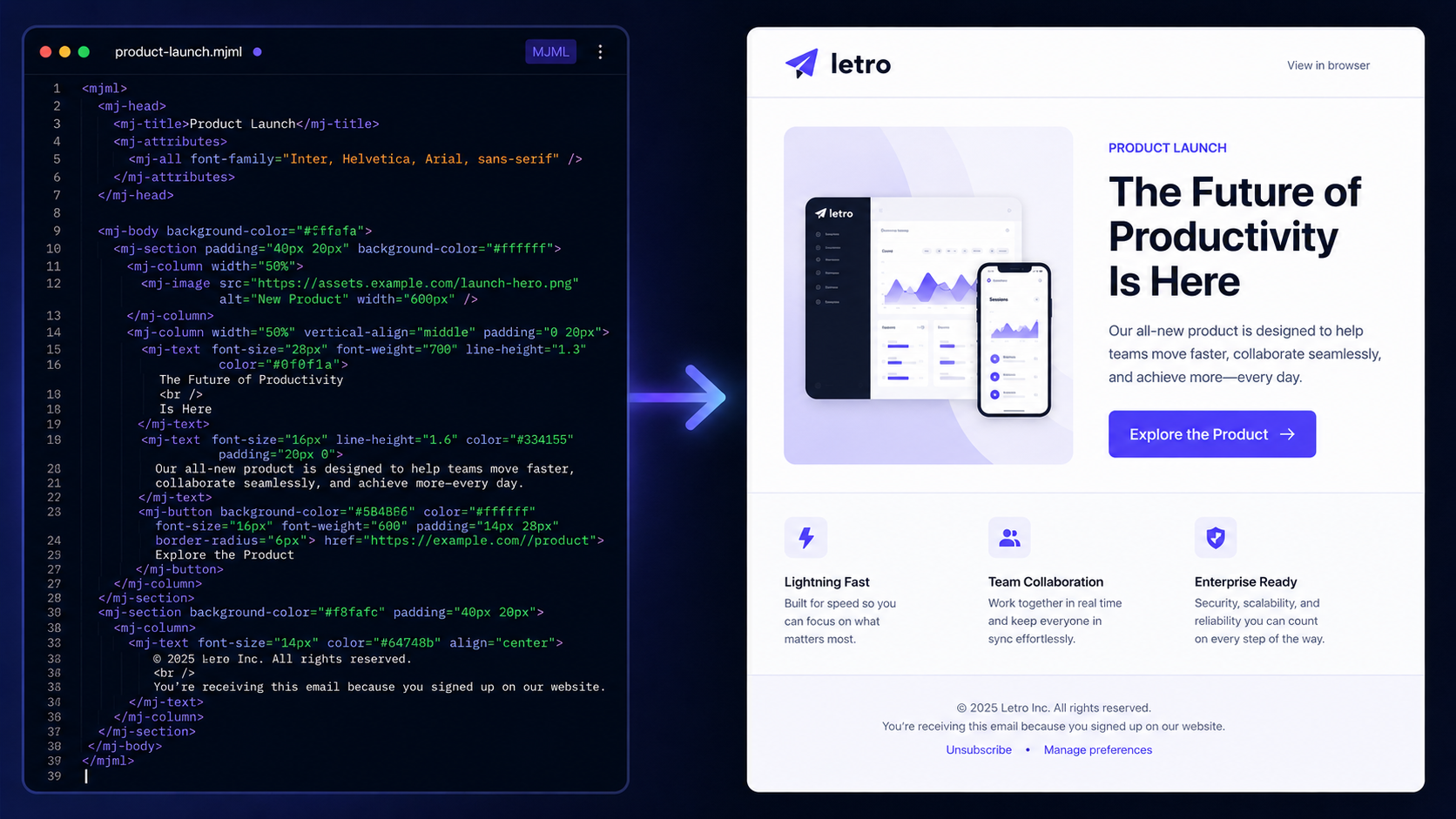
Hand-coding a responsive email from scratch takes an average of 10 hours per campaign for an in-house developer (Knak, 2026). Most of that time isn't writing copy or designing layouts — it's the table nesting, inline styles, and VML fallbacks that Outlook and legacy clients require. MJML removes that work by handling the compilation step automatically.
The project has over 18,100 GitHub stars, which reflects how widely this approach has been validated in production. MJML maps readable components to known-working HTML patterns for each major client. When you compile a <mj-section> with two <mj-column> children, the output contains the full nested table structure with all required attributes and inline styles. You write none of that yourself.
Modern web layout tools don't work consistently in email. CSS grid, flexbox, external stylesheets, and JavaScript are all unreliable in most clients. Production email still depends on constrained HTML and careful table nesting. MJML hides that constraint behind a readable authoring format — you think in email sections, not in table rows.
MJML vs HTML email
MJML and HTML aren't competing formats — one is the authoring layer, the other is the delivery layer. With mobile accounting for 41.6% of all email opens (Litmus, 2025), MJML's built-in column stacking and responsive image scaling remove work that would otherwise require custom CSS media queries in every template you build.
| Question | MJML | HTML email |
|---|---|---|
| Best use | Source code and editing | Final ESP import and sending |
| Readability | Easier to read and maintain | Often verbose and table-heavy |
| Responsiveness | Built into components | Must be handled manually |
| Compatibility | Compiles for inbox support | Depends on how it is written |
Why maintain both? Because they solve different problems. A 30-line MJML source file compiles into 300+ lines of HTML. When you need to update a button or change a heading, you edit three lines of MJML and recompile — instead of hunting through hundreds of lines of nested tables. If you manage any kind of template library, MJML as source is the right default. For ESPs and sending, you export the compiled HTML.
How to create an MJML email
Email returns $36 for every dollar spent (Litmus, 2024) — but only when campaigns actually ship. Most teams aren't stuck on ideas. They're stuck on production time. The traditional MJML workflow requires writing markup, running a compile step, testing the output in Litmus or Email on Acid, and pasting the HTML into your ESP. That works well for developer-led teams, but it creates real friction for everyone else.
With Letro, the workflow is shorter:
- Describe the email campaign.
- Add brand context or upload a screenshot reference.
- Generate an editable MJML email.
- Refine blocks visually.
- Export MJML or compiled HTML.
No MJML knowledge required. The visual editor lets you adjust layouts, sections, and copy before exporting — and you can export the MJML source alongside compiled HTML if you want to keep it in version control.
Looking for a broader comparison of AI-assisted email tools? Our AI email designer guide covers what to look for in output quality, brand handling, and ESP compatibility.
Example MJML structure
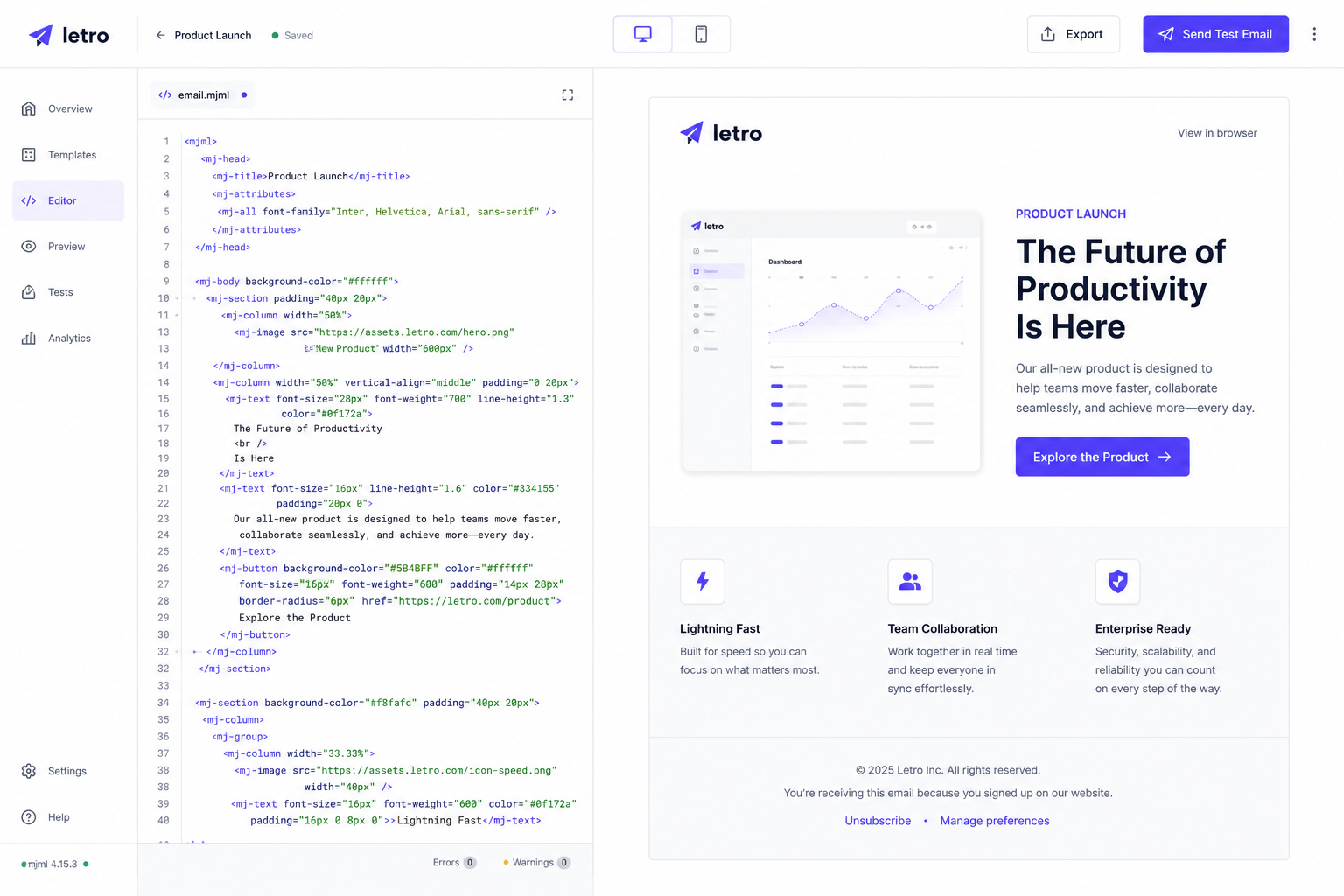
MJML has over 18,100 GitHub stars and has been in active production use since 2016 — the adoption reflects that the compile-to-HTML approach works across real inboxes. Here's what the source format looks like for a simple promotional email:
<mjml>
  <mj-body>
    <mj-section>
      <mj-column>
        <mj-text font-size="28px" font-weight="700">
          Launch your summer campaign
        </mj-text>
        <mj-button href="https://example.com">
          Shop now
        </mj-button>
      </mj-column>
    </mj-section>
  </mj-body>
</mjml>
The compiled HTML from this snippet is 10-15x longer. It includes the full table structure, VML fallbacks for Outlook's button rendering, inline styles for every text property, and responsive media queries for mobile stacking. Nothing in that compiled output is something you'd want to write or maintain by hand.
The component names map directly to what they produce: <mj-section> becomes a full-width row, <mj-column> handles column widths and mobile stacking behavior, and <mj-button> compiles into an HTML button that renders correctly even in Outlook.
When to use MJML
MJML is worth it whenever email maintainability matters. Mobile accounts for 41.6% of email opens (Litmus, 2025), and MJML's responsive components handle column stacking, image scaling, and button sizing automatically — rather than requiring per-template CSS fixes. Lifecycle emails that ship weekly and get updated monthly are exactly where that consistency pays off.
What does that look like in practice? MJML is especially useful for:
- Ecommerce campaigns with responsive product grids and multi-column layouts
- Newsletter templates sent regularly and updated often
- Product launch emails with multiple sections and calls to action
- Onboarding sequences with content blocks for different user segments
- Reusable template libraries that non-developers edit through a visual interface
Use raw HTML directly only when you need low-level control over the compiled output — for example, debugging a specific rendering issue or meeting an ESP constraint that requires custom table attributes. For everything else, MJML as source and compiled HTML for sending is the right default.
FAQ
Is MJML free?
Yes. MJML is open source under an MIT license, with over 18,100 GitHub stars. The language itself is free to compile and use. Tools that include MJML editors, AI generation, visual interfaces, hosting, or team collaboration features may charge separately — but compiling MJML with the official CLI or API costs nothing.
Does Klaviyo support MJML?
Klaviyo imports HTML, not MJML directly. The standard workflow is to write or generate MJML, compile it to HTML, then paste or import the HTML into Klaviyo. Most AI email tools and dedicated MJML editors include this compilation step automatically, so you export final HTML rather than managing the compile yourself.
What email clients does MJML support?
MJML compiles into HTML designed for the major rendering engines: Apple's WebKit (Apple Mail and iOS), Gmail's proprietary CSS preprocessor, Outlook's Word-based engine, and Chromium-based clients. As of February 2026, those clients account for over 92% of all email opens (Litmus, 2026). Test important campaigns in Litmus or Email on Acid before sending.
How long does it take to build an email with MJML?
Hand-coding a responsive email from scratch takes an average of 10 hours for an in-house developer (Knak, 2026). With MJML, you write roughly 10-30% of the code and let the compiler handle the table structure and client-specific fixes. With an AI tool like Letro, you can go from a campaign prompt to an editable MJML email in under two minutes.
Should I use MJML or a drag-and-drop builder?
They complement each other. MJML gives developers control over email structure and output. Drag-and-drop builders like Beefree or Stripo give non-developers a visual interface. Letro sits in between: it generates MJML automatically and provides a visual editor to refine it — so you get MJML's compatibility benefits without writing the markup yourself.